
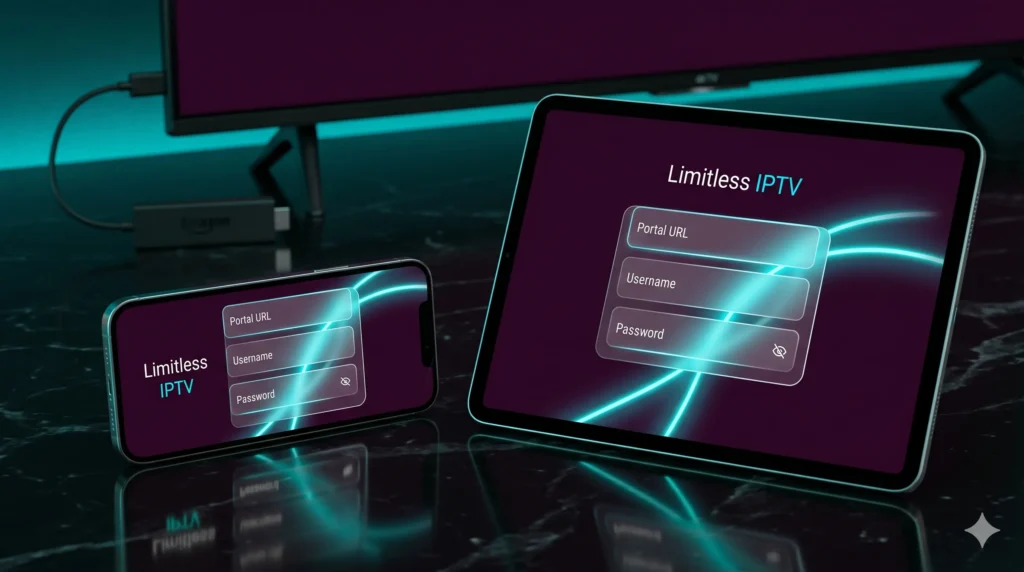
Typing a huge M3U link with a TV remote is one of the worst parts of setting up IPTV on a television. An IPTV Xtreme Codes API setup is highly popular because it replaces that long, frustrating playlist URL with three simple fields most devices handle cleanly: portal/server URL, username, and password. For users on Android TV and Amazon Firestick, this streamlined login flow is often the difference between a setup that takes minutes and one that becomes an error-prone mess.
That convenience is only part of the story. Xtream-style login is also popular because advanced applications, such as our custom Limitless IPTV App, use it to organize live channels, VOD, and EPG data automatically once the credentials are entered. Instead of forcing the user to manage everything manually through one long, unstable playlist link, a proper API configuration loads your entire premium subscription dynamically.
Table of Contents
What is Xtreme Codes API and Why is it Better Than M3U?
The name varies a little across the web, but the common idea is the same: an Xtream/Xtreme-style API lets an IPTV app connect to a provider using a short set of login credentials instead of relying only on a static playlist URL. Current setup guides describe the required fields as a server or portal URL, username, and password.
From a user perspective, the difference feels simple:
- M3U: Usually gives you one long, chaotic playlist link to paste into a player.
- Xtream Codes API: Gives you structured credentials that compatible apps use to pull live TV, movies, series, and guide data into separate sections automatically.
A technical example shows the API model more clearly. Instead of downloading a massive text file containing thousands of channels all at once (which crashes budget streaming sticks), the app requests data through a clean URL pattern like player_api.php?username=...&password=...&action=get_live_streams. The server returns structured JSON data, and the app builds playable live stream URLs instantly using a specific stream_id.
This structured behavior means apps can:
- Load channels and VOD into separate, clean menus automatically.
- Pull EPG or TV guide information in a deeply integrated way.
- Drastically reduce user errors during setup since the login fields are short.
Introducing the Custom Limitless IPTV App (Optimized for 2026)
While M3U is still widely supported across older players, the ultimate user experience is achieved when you combine premium infrastructure with a custom-engineered media player. That is why we developed the Limitless IPTV App.
Instead of dealing with generic third-party applications that require constant tweaking, the Limitless IPTV App is explicitly optimized for our high-speed servers. Built specifically for Firestick, Android TV boxes, and Android mobile devices, it acts as a premium “Netflix-style” hub that processes your Xtreme codes login credentials natively. This integration unlocks faster channel zapping, automatic daily EPG syncing, and unlocks our built-in Anti-Freeze streaming protocols during heavy weekend live sports traffic.
Step-by-Step: How to Login via Xtreme Codes on Limitless IPTV App
This is the exact sequence to complete your IPTV Xtreme Codes API setup using our custom application:
1. Gather Your Credentials
Before opening the app, ensure you have your active account details from your dashboard email:
- Secure Portal URL
- Unique Username
- Account Password
2. Download and Install the Application
Since custom premium players are often sideloaded for maximum performance on streaming sticks, you will need to know how to install external IPTV apps. Open the “Downloader” app on your Firestick, enter the direct Limitless IPTV App download link, install the APK, and launch it.
3. Select the Xtreme Codes Login Option
Once the launcher opens, bypass the traditional M3U file options and click on “Login with Xtream Codes API”.
4. Enter the Details Carefully
Type your portal URL, username, and password exactly as issued. Ensure there are no accidental spaces at the end of your password, which is a common copy-paste issue on TV remotes.
5. Click “Add User” and Stream
Click the confirmation button. The Limitless IPTV App will instantly query our backend, sort your sports and movie groups into clean folders, populate the TV guide, and take you straight to the premium dashboard.
M3U URL vs Xtreme Codes API
| Factor | M3U URL Playlist | Xtreme/Xtream Codes API |
| Setup Speed | Slower; playlist links are long and tedious to type on remotes. | Faster; requires only portal, username, and password. |
| EPG Sync | Often managed via a separate second URL link. | Deeply integrated into the app interface automatically. |
| Content Structure | Dumps everything into one flat, massive channel list. | Separates Live TV, Movies, and Series into clean menus. |
| App Performance | Can lag or crash lower-end streaming devices. | Lightweight queries make channel zapping instant. |
Troubleshooting Xtream Login Errors
Most login failures come from small input mistakes rather than technical backend faults. If your application throws an authentication error, use this practical troubleshooting sequence:
- Check for Trailing Spaces: Virtual keyboards often automatically insert an invisible space after you enter a word or password. Delete any extra spaces.
- Verify the Protocol: Ensure your portal URL starts exactly with
http://orhttps://as specified by the provider. Altering the symbols will break the handshake. - Confirm Account Status: Check your dashboard to ensure your 24-hour trial or premium subscription token hasn’t expired.
- Test an Alternative App: If you suspect a device-specific glitch, you can input the exact same credentials into another compatible player to verify the lines are live.
Final Takeaway
For any modern streaming configuration, completing an IPTV Xtreme Codes API setup is undisputedly cleaner, faster, and more reliable than wrestling with ancient M3U playlist text strings. By downloading a tailored environment like the Limitless IPTV App, you bridge the gap between powerful server routing and a premium, living-room-friendly interface. Get your login credentials tonight, drop the long URLs, and enjoy a truly premium TV box experience.